Posts

Showing posts with the label SCVMM 2012

Upgrade to Virtual Machine Manager 2012 R2 RTM from 2012 SP1

Image
Upgrade to Virtual Machine Manager 2012 R2 RTM  from 2012 SP1 Virtual Machine Manager doesn't support in-place upgrade, another bad new is the P2V utility is not supported on   VMM 2012 R2.  Now going over the process, it will be straight forward, as always I recommed you to have a back out plan.   Tasks: Uninstall SCVMM Management Server and Console  Retain Database on SQL Uninstall ADK 8.0 (It will require a Restart) Install ADK 8.1 with the same features.  [Note: After Install ADK8.1 you will be able to install  SCVMM 2012 R2 RTM] Step by Step  Uninstall VMM MS and Console  Retain Database  Uninstalled  Install VMM 2012 R2 RTM  Select the existing Database VirtualManagerDB Now it will be upgrading the Database  Done  Enjoy !...
What's System Center Virtual Machine Manager 2012 ?

Image
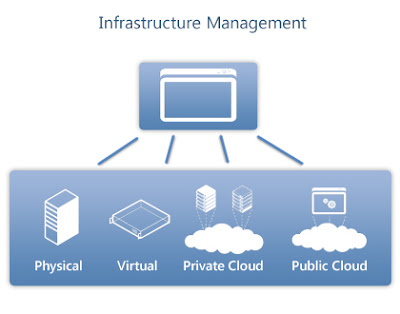
System Center Virtual Machine Manager  2012 delivers the following infrastructure management capabilities: Provision your Physical and Virtual Infrastructure Support deployment and configuration of virtual servers and Hyper-V with Virtual Machine Manager. Manage VMware vSphere and Citrix XenServer using one interface. Automatically deploy Hyper-V to bare metal servers and create Hyper-V clusters. Provision everything from operating systems to physical servers, patches, and endpoint protection with Configuration Manager. Provision Private Clouds Use "create cloud" functionality in Virtual Machine Manager to aggregate virtual resources running on Hyper-V, vSphere, and XenServer into a unified private cloud fabric. Customize and assign private cloud resources to suit your organization’s needs. Deliver self-service capability for application owners to reque...

How to Install SCVMM Virtual Machine Manager 2012 SP1 Part 1

Image
Installing System Center Virtual Machine Manager 2012 SP1                          Download SCVMM 2012 Book SCVMM Project Plan Tasks Status Install  a VM Windows Server 2012 on Hyper-V Done Join Network/ Domain VMM01/ IP: Done Prerequisites (Roles and Features, ADK 8.0) Done Create Service Account  SVCVMM @ndic.com   (needs to be Domain Admin) Done Distributed Key Management  (CN=VMMDKM,DC=ndic,DC=.com)  Permissions to This  Object and all descendant objects. http://technet.microsoft.com/en-us/library/gg697604.aspx Done Install SQL Server 2012 SP1  (SQL 2012 SP1 Update SQLServer2012-KB2793634-x64) http://www.microsoft.com/en-us/download/details.aspx?id=36215...

How to Add a Hyper-V Failover Cluster on SCVMM Virtual Machine Manager 2012 Sp1 Part 2

Image
How to Add a Hyper-V Failover Cluster on Virtual Machine Manager  2012 Go to Fabric   and then click on Add Resources Add Hyper-V Host  and Clusters In my Scenario I have my Hyper-V Cluster on a Trusted AD Specify the credentials for discover the Hosts Specify the hosts that you want to discover Now select the Hosts or Cluster Cluster Added. Next Post Configure SCVMM Networks    Thanks for watching ! 

How to Configure SCVMM 2012 Networks Sp1 Part 3

Image
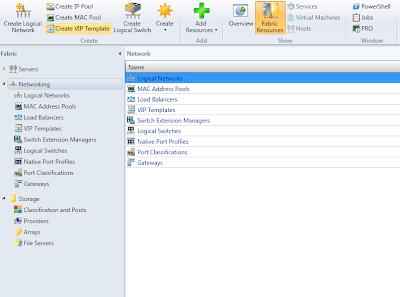
How to Configure Virtual Machine Manager 2012 Networks At this point we need to configure the Logical Network s and VLANS Go to Fabric and expand Networking and select Logical Networks or just  click on Create Logical Network Now  assign a Name to the Logical Network and click Next Now assign the Network Sites with VLANS Click ok and close. Part 1  Installing SCVMM 2012    Thanks for watching !