Posts

Showing posts with the label app-v 5 client configuration

Deploy App-V 5.0 Client Configuration VIA GPO on Windows Server 2012
Image
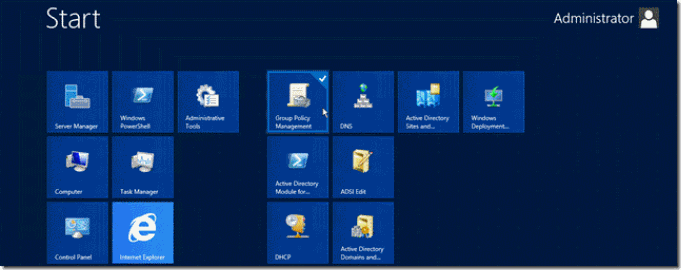
Deploy App-V 5.0 Client Configuration VIA GPO on Windows Server 2012 Things you should know before begin deploying client: Active Directory Knowledge on OU, Groups and GPO’s. Scripting in Power Shell is a plus. Well understanding when deploying GPO’s , such as time it takes to apply and if you want to deploy this policy to machines or users. I recommend Create an OU named _MS_ Application_ Virtualization to assign policies only to that OU and no affect the whole users of your AD. 1. Assign App-V Client Configuration via Group Policy a. Install MDOPADMXTemplate.msi, you could found at Microsoft site http://www.microsoft.com/en-us/download/details.aspx?id=35516 b.  If you want to use ADMX you should have Windows Server 2008 R2 or later. c.  Import the MDOPADMXTemplate.msi in Group Policy Access. d.  Now go to Group Policy Management on the Root domain controller. e. Expand you Active Directory hierarchy, and Search your  OU _MS Application_V...

How to sequence applications with App-V 5.0

Image
How to sequence applications with App-V 5.0 First you need to install your App-V Sequencer Then restart the machine and start the Sequencer You also need to stop Windows Defender , Windows Search and Windows Update Services Click on Create New Virtual Application and then new. Click Next and Select Standard Application  Select your application path and then next, name you package and specify the Virtual Directory it can be whatever you want but I recommend make this directory on Root C:   Then Click next install with defaults Finish Install Click Run Selected to make sure that app is working. Don’t be alarm with this message its telling you that some registry have been excluded from package for make this app compatible with other OS. Now you have the option to Stop now, or customize your Package. At this ...

Implementing App-V 5.0 Full Infrastructure on Server 2012 Consultant Guide

Image
Implementing App-V 5.0 Full Infrastructure on Server 2012 Consultant Guide Transform applications into managed services Hello everyone and welcome to my blog I’m creating this post to give you the step by step on how to build you Application Virtualization Infrastructure 5.0 (App-V 5.0) in just quite few minutes.   . Hardware Prerequisites  App-V 5.0 Supported Configurations Use Virtual Machines  App-V 5.0 Supported Configurations   click for review memory and OS requirements  Click here  App-V 2012 More Information Hardware  Resources   Virtual Machines  Services and Applications  OS VM-DC01 Active Directory Domain Services Windows Server  2012 VM-Appv-SVR SQL Server 2012 Standard / App-V Management Server Windows Server  2012 VM-Client App-V Client Windows 7 SP1  /Windows 8 ...